
DXF to 3D
Turn DXF drawings into
editable 3D models
Import customer DXF plans and automatically convert them into structured 3D models, takeoffs, geometry context, and validation inputs. Native DWG files are now supported too.
Now available: Upload native DWG drawings directly and run the same structured 2D-to-3D workflow.
Explore DWG to 3D →From flat files to editable models
Your customers and project archives contain thousands of DXF drawings. ArchiLabs unlocks the design context in those flat files, converting lines and arcs into walls, rooms, equipment, quantities, and structured model data.
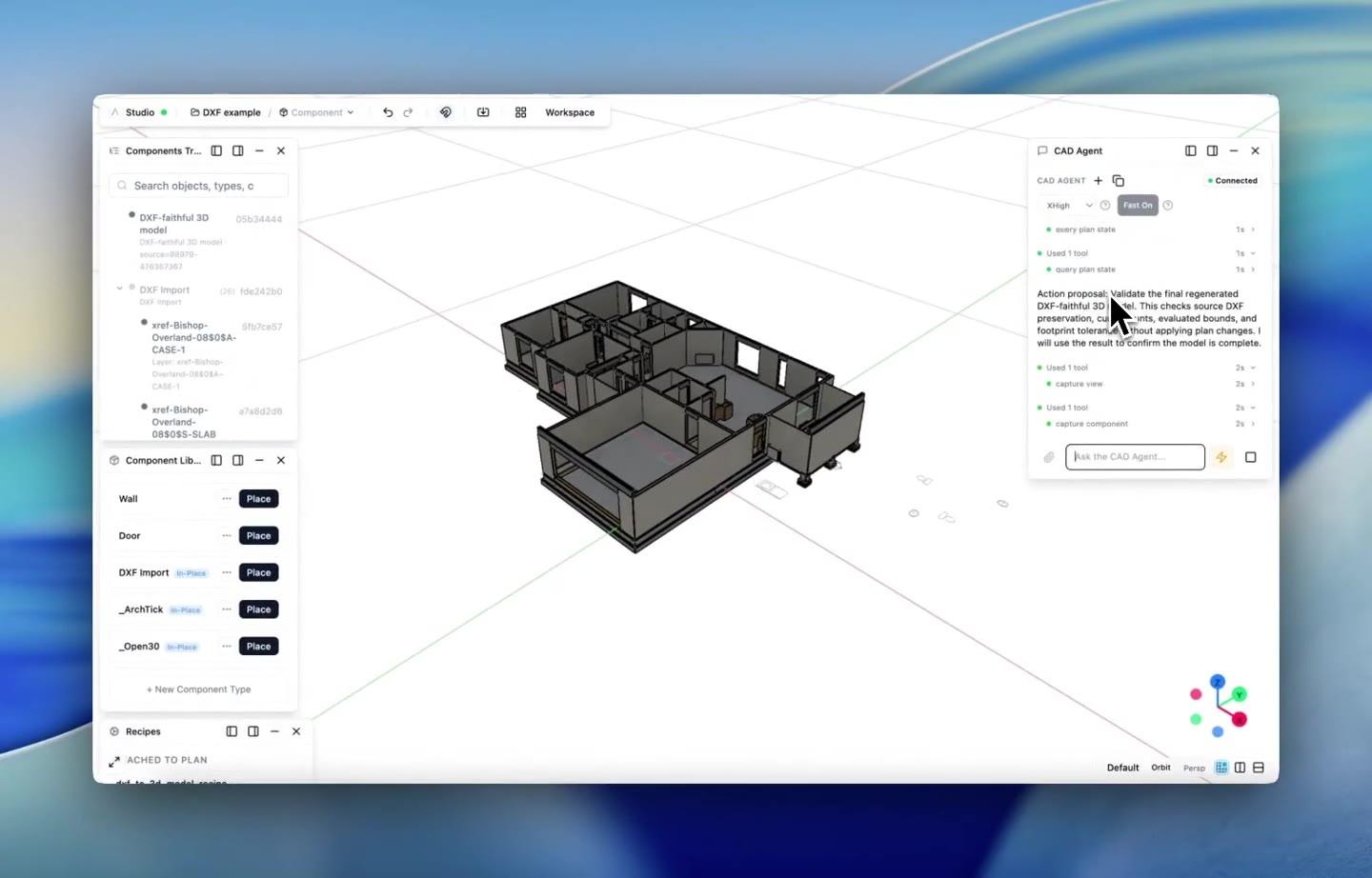
House DXF to 3D demo
Turn a house DXF into high-quality 3D
Watch the AI take a DXF of a house and convert it into a high-quality 3D model.
How it works
Four steps from DXF drawing to editable 3D model.
Upload the customer DXF
Drag and drop any floor plan, site plan, or equipment layout. ArchiLabs reads DXF layers, blocks, and drawing entities from real customer files.
Extract model context
Walls, doors, rooms, equipment, zones, dimensions, and annotations are identified and classified. Layers become typed geometry, quantities, and review context.
Generate the 3D model
Extrude walls, place parametric components, and create a structured 3D model. Every element is editable, measurable, and ready for downstream design workflows.
Validate, document, and export
The model becomes a live ArchiLabs project. Add smart components, run validation, generate schedules, flag exceptions, and export review-ready handoff packages.
Production-grade DXF conversion
Not a toy demo. Handles real-world drawings at the level needed for takeoff, coordination, and engineering review.
Production DXF support
Nested blocks, hatches, dimensions, polylines, and splines carry into a conversion workflow built for real production drawings.
Smart layer mapping
Layer names and colors map to semantic model types. A-WALL becomes walls. M-EQUIP becomes equipment. Custom mappings are fully configurable.
Batch conversion
Convert entire drawing sets at once and get structured spaces, equipment, quantities, and model context back for downstream design and review.
Preserve model metadata
Room names, equipment tags, dimensions, alternates, and notes carry through as typed metadata on the 3D model. Nothing gets lost before review.
Parametric model output
The generated 3D model uses ArchiLabs smart components. Walls know their rating. Equipment knows its specs. Assemblies know how they connect.
Model handoff
Export the converted model, schedules, assumptions, exceptions, and IFC data with persistent identifiers for engineering review and coordination packages.
Stop tracing. Start modeling.
Upload a DXF and see how existing drawings become structured, validated model inputs.
Let's build together
Whether you're planning a new data hall, modernizing a live facility, coordinating critical systems, or connecting design data to operations, we'd love to hear what your team wants to automate. We also continue to support MEP, production homebuilding, modular housing, fire protection, and embedded design workflows.
Talk to the team
See Desktop and Studio in a walkthrough tailored to your team’s workflow.
Pilot a workflow
Start with one high-value automation and connect it to your current delivery process.
Technical questions
DCIM, CFD, BIM, document automation, APIs, and custom components — ask us anything.