
CPQ Configurator
Turn design options into
quote-ready CPQ
Expose guided configure-price-quote workflows for data centers, modular systems, building products, or any complex facility type. Customers configure, rules validate, pricing updates, and your team gets clean quote packages.
Self-service configuration, quote-ready output
Your customers want to explore options before they talk to sales. Today that means emails, spreadsheets, manual takeoffs, and weeks of back-and-forth. With ArchiLabs CPQ configurators, they configure in a guided 3D experience while every option is validated and priced.
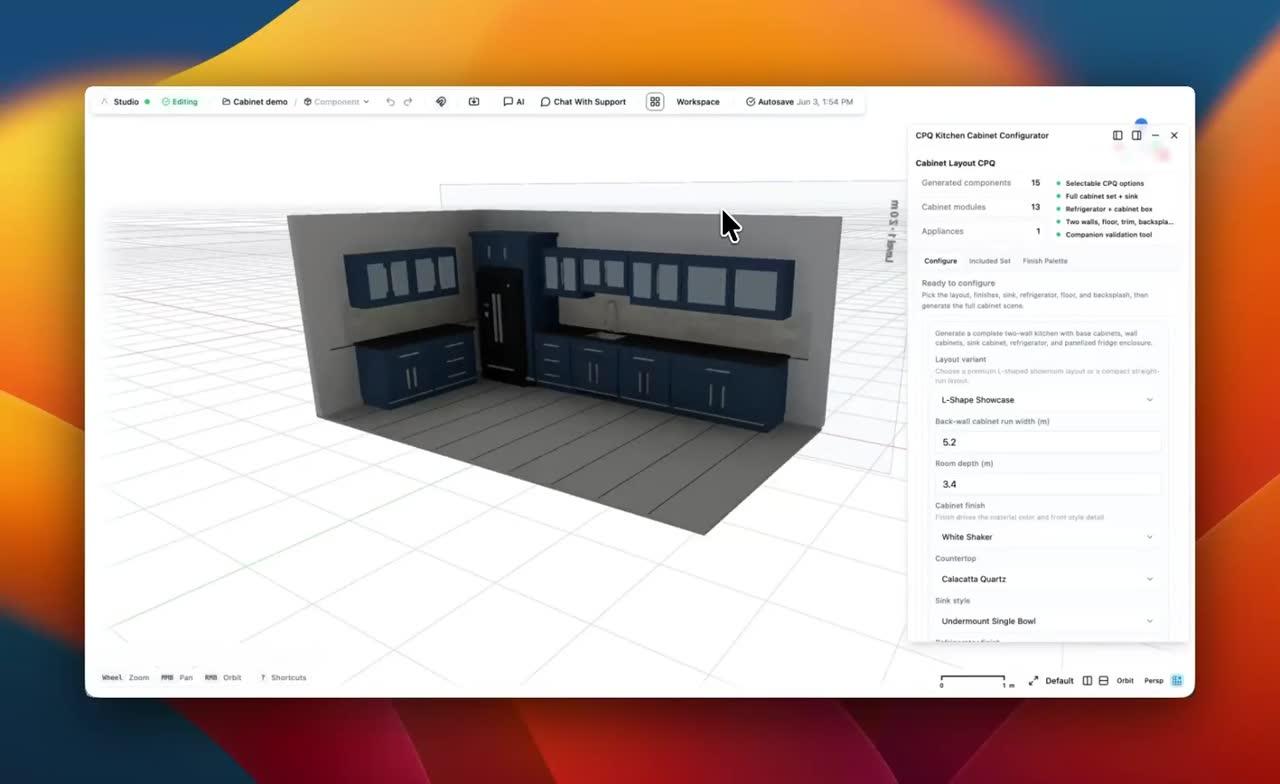
Kitchen cabinet CPQ demo
Set up a kitchen cabinet layout
Watch the configurator set up a kitchen cabinet layout and turn the cabinet system into a guided CPQ experience.
CPQ configurators for every domain
The same platform powers configure-price-quote workflows for any building, facility, or productized system.
Let customers configure rack deployments with real-time power, cooling, capacity, and compatibility checks. Every valid layout produces a priced BOM and quote scope.
- Rack placement with clearance checks
- Power and cooling rules
- Capacity and redundancy validation
- Auto-generated BOM and pricing
Turn repeatable spaces, options, finishes, and alternates into a customer-facing CPQ flow where pricing, availability, and buildability update as choices change.
- Option and finish selection
- Rules-based compatibility
- Live cost and margin logic
- Quote-ready package output
Configure modular structures from a library of pre-validated modules. Stack, connect, validate, price, and hand off manufacturing-ready scope from one flow.
- Module library with constraints
- Structural validation
- MEP connection verification
- Manufacturing and quote export
From component library to live CPQ
Four steps to a production configurator that sales and engineering can trust.
Define quoteable components
Create smart components with parameters, constraints, costs, lead times, and validation rules. A rack, module, panel, or unit knows how it can be sold and built.
Connect rules and pricing
Choose available options, define placement and compatibility rules, connect pricing logic, and decide what becomes a BOM, proposal line, or engineering exception.
Publish the CPQ flow
Deploy as a standalone page or embed in your platform via SDK. Customers get guided configuration, and your team gets validated designs, pricing, and BOMs.
Review and quote
Customer configurations land in your ArchiLabs workspace. Review exceptions, refine scope, export models, generate reports, and keep a full audit trail of the quote.
Ship a CPQ experience your customers can trust
Customers should not need CAD expertise to configure a complex product or facility. Give them a guided experience that generates validated, priced, buildable quote packages.
Let's build together
Whether you're planning a new data hall, modernizing a live facility, coordinating critical systems, or connecting design data to operations, we'd love to hear what your team wants to automate. We also continue to support MEP, production homebuilding, modular housing, fire protection, and embedded design workflows.
Talk to the team
See Desktop and Studio in a walkthrough tailored to your team’s workflow.
Pilot a workflow
Start with one high-value automation and connect it to your current delivery process.
Technical questions
DCIM, CFD, BIM, document automation, APIs, and custom components — ask us anything.