
Skip to content

The ArchiLabs buyer’s guide

Revit AI Automation: Glyph, EvolveLAB & BIMLOGIQ Copilot Pricing and Features

Pricing only becomes useful when you know what the product is doing for the team. This guide puts AI agents, documentation automation, scripting tools, and connected design products in one place, with dated public offers and an explanation of the work each one supports.

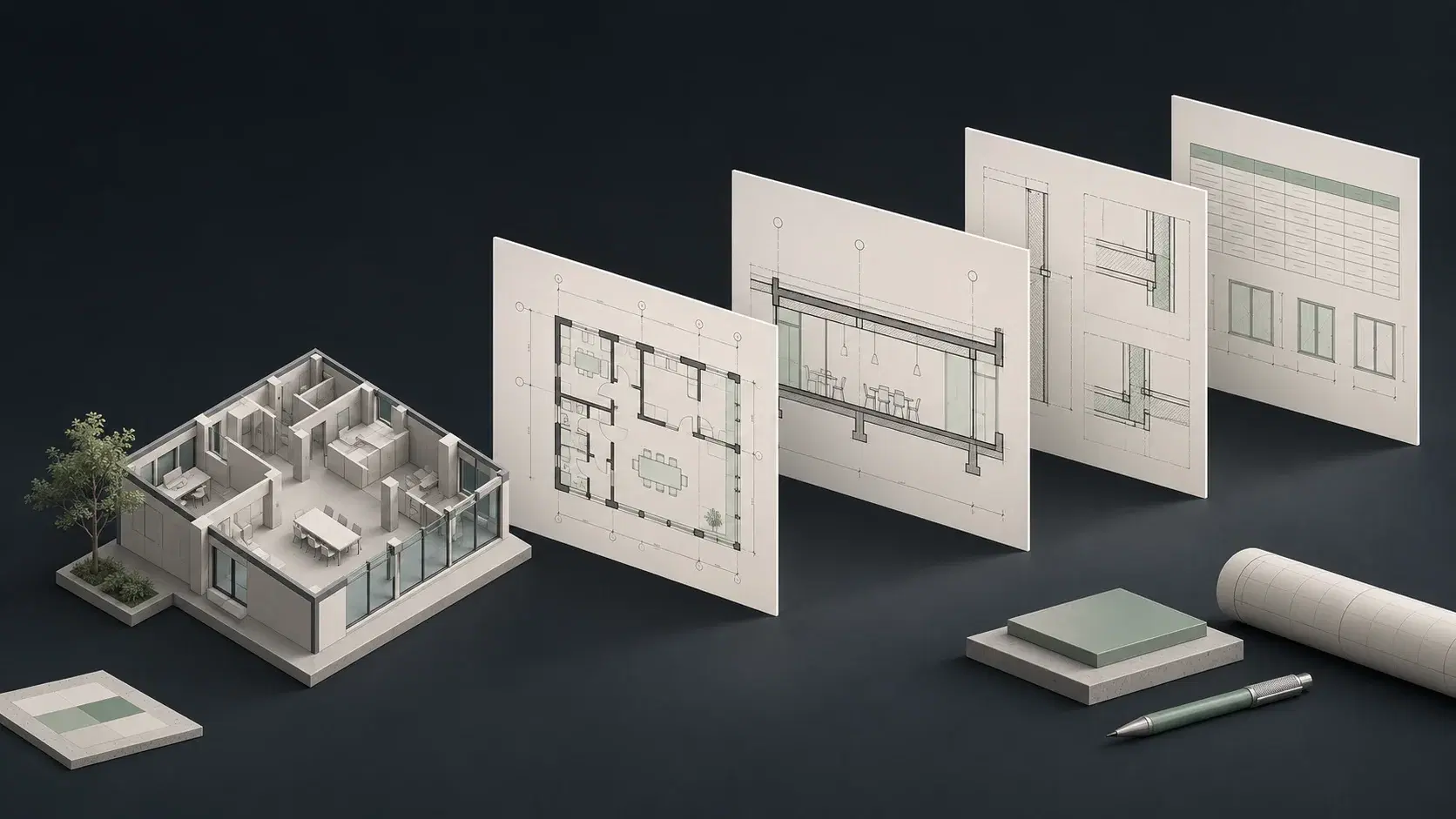
A building floor model alongside coordinated plans, sections, and a schedule.
From model information to project documentation. Concept illustration.

Revit AI automation pricing and features at a glance

Features and pricing reviewed November 9, 2026. Public vendor information; confirm current terms.
ProductWorkflow and featuresPricing and license details
BIMLOGIQ ArgusAI assistantsRevit agent that succeeds the earlier BIMLOGIQ Copilot.

Model edits, families, views, sheets, annotations, and saved commands.

Confirm current paid terms with BIMLOGIQ

The reviewed product page offers a free download and a demo, but does not establish a current paid subscription amount or allowance. A free installer does not establish unlimited free AI use.

Official product information ↗
Chaos Glyph / EvolveLABProduction pluginsRevit documentation automation with an AI Assistant.

Views, sheets, tags, dimensions, and arranged drawing deliverables.

EvolveLAB lists $600/year named; confirm current offer

The EvolveLAB page lists $97 monthly, $600 annually for a named license, and $1,062 annually for floating access. The current Chaos page directs buyers to sales. Confirm edition, license type, currency, and current checkout terms; suite pricing is a different offer.

Official product information ↗
Dynamo for RevitScripting & computational designVisual programs that encode geometry, data, and model operations.

Graph-defined data transformations and Revit changes through supported nodes and APIs.

Dynamo for Revit ships with Revit; budget maintenance

Revit licensing is separate from the cost of creating, testing, and maintaining graphs. Do not assume an older Revit installation includes the AI capabilities documented for Dynamo 4.2 and Revit 2027.3.

Official product information ↗
pyRevitScripting & computational designOpen-source Revit tools and a framework for custom automation.

Revit operations implemented by installed tools or your own API code.

Free core tools; development and AI-client costs vary

The core toolkit is free. Custom development, support, and any external AI client remain separate costs. The documented agent runtime is experimental, off by default, and not a blanket statement about every stable installer.

Official product information ↗
Autodesk Revit MCPMCP connectionsAutodesk public MCP servers connecting an AI client to Revit.

Read-Tools queries; supported model modifications in Trusted-Write and Experimental previews.

Check Revit entitlement and separate AI-client costs

These are Technical Previews, not a single all-inclusive assistant subscription. Autodesk documents Revit 2027.2 or later for the public-server previews. Confirm the specific package, entitlement, and client plan before budgeting.

Official product information ↗
Autodesk Assistant in RevitAI assistantsAutodesk’s in-product conversational help and supported model actions.

Model queries, supported modifications, schedules, sheets, and exports.

Confirm Autodesk entitlement, availability, and usage terms

The reviewed Revit help page is not a standalone price list. Check your product version, region, account entitlement, and current AI usage conditions instead of assuming unlimited access.

Official product information ↗
NonicaTab / Nonica AI ConnectorMCP connectionsA Revit tool suite with an MCP connection to an external AI client.

Free-tier model analysis; Pro tools extend editing and documentation.

Free tier; Pro €85/user/year + VAT

Nonica’s current site distinguishes the read-only Free connector from the fuller Pro connector. An external AI-client plan is separate. Check connector-specific version support rather than assuming every toolbar version has the same MCP compatibility.

Official product information ↗
Mira by PirrosAI assistantsA conversational agent for learning, controlling, and creating inside Revit.

Supported model edits and generated content with visual verification.

Capped free use; paid Pro and Max allowances

The reviewed help article confirms free and paid usage tiers but does not establish their dollar amounts. Mira is separate from the Pirros content-library product. Check supported regions and Revit 2025–2027 requirements before starting.

Official product information ↗
Naviate MCP for RevitMCP connectionsSymetri’s Revit connection for MCP-compatible AI assistants.

Model searches, parameter inspection and edits, and schedule creation.

Trial documented; confirm paid licensing

Naviate MCP and Naviate Accelerate have separate trials and are distinct products. The current startup guide supports Revit 2025–2027 and a separate AI client. Confirm the quote for each component you actually need.

Official product information ↗
BIMLOGIQ Smart AnnotationProduction pluginsSpecialist tagging, dimensioning, and annotation arrangement.

Tags, leaders, dimensions, and batch annotation results.

14-day trial; confirm Pro or Enterprise terms

The public page offers a trial and routes Pro/team buyers to an access request. It describes cloud Full and on-device Quick modes. Confirm mode, supported Revit release, and usage terms in the offer.

Official product information ↗
DiRootsOneProduction pluginsA suite of Revit utilities for parameters, sheets, views, and data exchange.

Managed model data, spreadsheet exchanges, views, sheets, and tables.

Free tier; Premium €100/user/year

DiRoots lists US pricing of $120/user/year through its authorized US reseller. SheetLink, TableGen, and several other tools are Premium in the current table; older descriptions of an entirely free bundle should not be used for procurement.

Official product information ↗
Ideate BIMLinkProduction pluginsControlled Revit data exchange with Microsoft Excel.

Parameter data exported from and written back to Revit.

$795/year for a single-user standalone license

The vendor also lists multi-user and bundle options. Ideate Automation is a separate offering: do not assume a BIMLink license includes scheduled unattended automation.

Official product information ↗
CTC BIM Project SuiteProduction pluginsA collection of Revit production, selection, data, and management utilities.

Parameter edits, managed revisions, schedules, and other task-specific results.

Shop lists $410; confirm term and license

The shop listing alone does not establish all purchase conditions. CTC documents a 14-day trial and some tools that remain free afterward. Distinguish Project Suite from Manager, Batch, and Data suites when requesting a quote.

Official product information ↗
Naviate AccelerateProduction pluginsRevit productivity tools for model data, views, sheets, and standards.

Batch data edits, documentation setup, and model-management results.

Store lists €460 single-user annual subscription

Multi-user and volume-pack options differ. Confirm the selected variant and local terms. Naviate MCP is a separate product; owning or trialing one does not by itself describe access to the other.

Official product information ↗
RushForth ToolsProduction pluginsRevit project setup, Excel exchange, and parameter management.

Configured views, sheets, parameters, and spreadsheet-driven updates.

$125 single-user license for a listed Revit version

The vendor lists separate version-specific licenses and a 30-day trial. Treat the price as a version-specific purchase listing, not an unlimited future-version subscription. Enterprise licensing is offered separately.

Official product information ↗
Rhino.Inside.RevitScripting & computational designRhino and Grasshopper capabilities inside the Revit environment.

Geometry and native Revit elements through supported components and conversion workflows.

Requires licensed Rhino and Revit; check current editions

Budget the host applications and the expertise needed to maintain definitions. The integration is not a standalone AI-assistant subscription. Confirm compatibility among your Rhino, Revit, and Rhino.Inside versions.

Official product information ↗
SpeckleConnected design & dataModel-data collaboration, analytics, validation, and automation.

Shared model data, dashboards, checks, and connected analysis workflows.

Free Explore plan; custom paid plans

Speckle lists a limited free plan and paid usage-based terms tied to projects, syncs, and versions. Paid plans include broader intelligence and automation capabilities. Receiving Revit geometry as DirectShapes is different from creating editable native families.

Official product information ↗
HyparConnected design & dataSpace planning and design-option development with a Revit handoff.

Spatial layouts and a documented workflow for moving results into Revit.

Confirm the current plan and export entitlements

No stable production price was verified from the readable official pricing page during this review. Check directly with Hypar rather than treating indexed sandbox pricing or old plan names as a current quote.

Official product information ↗
SnaptrudeConnected design & dataAI-assisted building design and BIM in a separate design workspace.

Design options and BIM with exports on eligible paid plans.

Pro $60 monthly or $600 billed yearly

The current pricing page lists a Free plan without exports or BIM mode. Pro includes those capabilities; Max adds team features and larger credit allowances. Credits and billing cadence matter when comparing costs.

Official product information ↗
SWAPP / FrankAI assistantsAgentic documentation, modeling, and QA within Revit and ArchiCAD.

Modeling and construction-documentation work guided by firm standards.

Credit-based usage; confirm rates and enterprise terms

SWAPP publishes a credit-based model and a free-start invitation, but not a universal per-seat dollar rate on the reviewed pricing page. Ask for the cost of your task mix and any firm-specific onboarding.

Official product information ↗

AI Revit automation software: price the work you want to complete

Separate access from consumption and implementation. Access may be sold per user, per application version, or through a suite. AI usage may involve credits or a separate client subscription. Implementation includes preparing standards, maintaining graphs, and adapting the workflow to a project. Comparing those categories makes the budget useful to the person responsible for delivery.

ArchiLabs Desktop combines an accessible subscription with usage credits. That structure lets a team start with a practical assignment and scale its usage around the work that proves valuable. Include project context and repeat work in the evaluation: a tool that helps with the next task as well as the first has a stronger case than a one-off demonstration.

Glyph and EvolveLAB pricing: documentation features and license choices

The EvolveLAB Glyph listing includes named monthly and annual options and an annual floating option. The current Chaos Glyph page directs buyers to sales. Those are distinct purchasing signals, so the table preserves the published amounts as a dated reference and calls out the need to confirm the current offer. Suite access should be evaluated against the actual suite you intend to buy.

Glyph’s value centers on automating drawing production through tasks, bundles, and AI assistance. ArchiLabs offers a broader starting point when modeling, source documents, and CAD work form part of the same assignment. Compare the complete workflow your team is buying, including the preparation that happens before views, tags, and sheets are ready to produce.

Sources: EvolveLAB Glyph license listings · Current Chaos Glyph product page

BIMLOGIQ Copilot pricing and features: evaluate the current Argus offer

BIMLOGIQ Copilot searches now need to account for Argus. The current product emphasizes multi-step Revit work, document context, and reusable commands. A download link does not establish the amount of ongoing AI usage or the terms of a paid team deployment. We therefore identify the offer as vendor-confirmed rather than inventing a monthly price.

Compare Argus and ArchiLabs on a task that includes both model actions and the information that drives them. Desktop makes a particularly strong case when the office also uses AutoCAD and wants knowledge to carry across personal, project, team, and company contexts. That broader working environment is central to our recommendation.

Sources: BIMLOGIQ Argus · Copilot and Argus naming

Free Revit automation tools and the cost of a reusable workflow

Dynamo and pyRevit can deliver substantial value without a separate fee for the core tool. Their economics depend on the expertise available to build, deploy, and support the automation. Include package dependencies, application upgrades, documentation, and the time another team member needs to operate or repair it.

This does not make scripting a poor investment. It makes the comparison a staffing and workflow decision as well as a software purchase. ArchiLabs Desktop is compelling when more people need to delegate changing production tasks and the office wants its specialists focused on the work that truly needs custom engineering.

Revit MCP alternative pricing: connector, client, and production workflow

For MCP, inspect the connector and the AI client together. Nonica publishes a free read-only option and a paid Pro tier; Naviate MCP and Autodesk’s preview have their own product and version requirements. A tool list describes available operations, while the client influences interaction, model usage, and the experience of completing a task.

Desktop offers a direct product comparison: bring the project assignment, connect the supported tools, and evaluate the result. That is valuable for a team that wants a working AI environment across Revit, AutoCAD, and documents. Use the MCP comparisons for the details of each connector rather than treating every server as the same product.

Sources: Nonica plans · Naviate MCP setup

Revit plugin features: annotation, Excel exchange, and production utilities

DiRootsOne, Ideate BIMLink, CTC BIM Project Suite, Naviate Accelerate, and RushForth Tools solve specific production problems. Some offer free tools alongside paid capabilities; some sell annual access, while others use version-based licensing. Confirm the exact command and license you need. A suite name alone is not enough to determine whether a particular feature is included.

These tools may remain valuable alongside ArchiLabs. For example, an established spreadsheet exchange process can continue serving a standards team while Desktop takes on modeling tasks, drawing changes, and document-driven assignments. Build the budget around the resulting operating model rather than forcing every product into a single winner-takes-all category.

Agentic AI in Revit & AutoCAD: invest in repeatable project value

For an initial evaluation, choose one recurring deliverable, identify its inputs, and agree on what a finished result looks like. Track the time spent preparing the assignment and continuing work on the result. Then repeat the assignment on a second project so the team can see whether its standards and lessons carry forward.

ArchiLabs is built around that everyday relationship between people, project context, and native work. The strongest business case is a growing set of useful assignments that the team can confidently delegate. Start with Desktop, establish a productive workflow, and expand the scope as the team sees results.

Common questions

Is ArchiLabs Desktop priced per month?

The published starting subscription is $19/month plus usage credits. The live pricing page is the place to confirm the current plan and credit terms.

Why are some competitor prices listed as contact sales?

A public feature page or free installer is not proof of a current paid price. We identify unavailable or ambiguous pricing instead of presenting an unverified amount as a quote.

Are the listed prices directly comparable?

No single sticker price captures the full setup. Compare currency, billing term, license type, included features, AI usage, and any separately required software before estimating the cost for your team.

Sources and comparison notes

Published by ArchiLabs using public product documentation reviewed on November 9, 2026. Recommendations reflect our product perspective. Workflow examples are suggested evaluations, not measured benchmark results. Prices retain the vendor’s currency and billing terms.